Hybrid AD Manager by TideReach Ltd Download
Active Directory and Entra ID, one console

The Active Directory admin tools, rebuilt for the browser, with Entra ID beside them.

Users and Computers, Sites and Services, Domains and Trusts, DNS and Group Policy Management in one window, plus your Entra ID tenant merged into the same view. Every user shows at a glance whether it is synced, cloud-only or on-premises only.

Download the free edition See pricing One MSI. No agents on workstations, no database, nothing leaves your network.
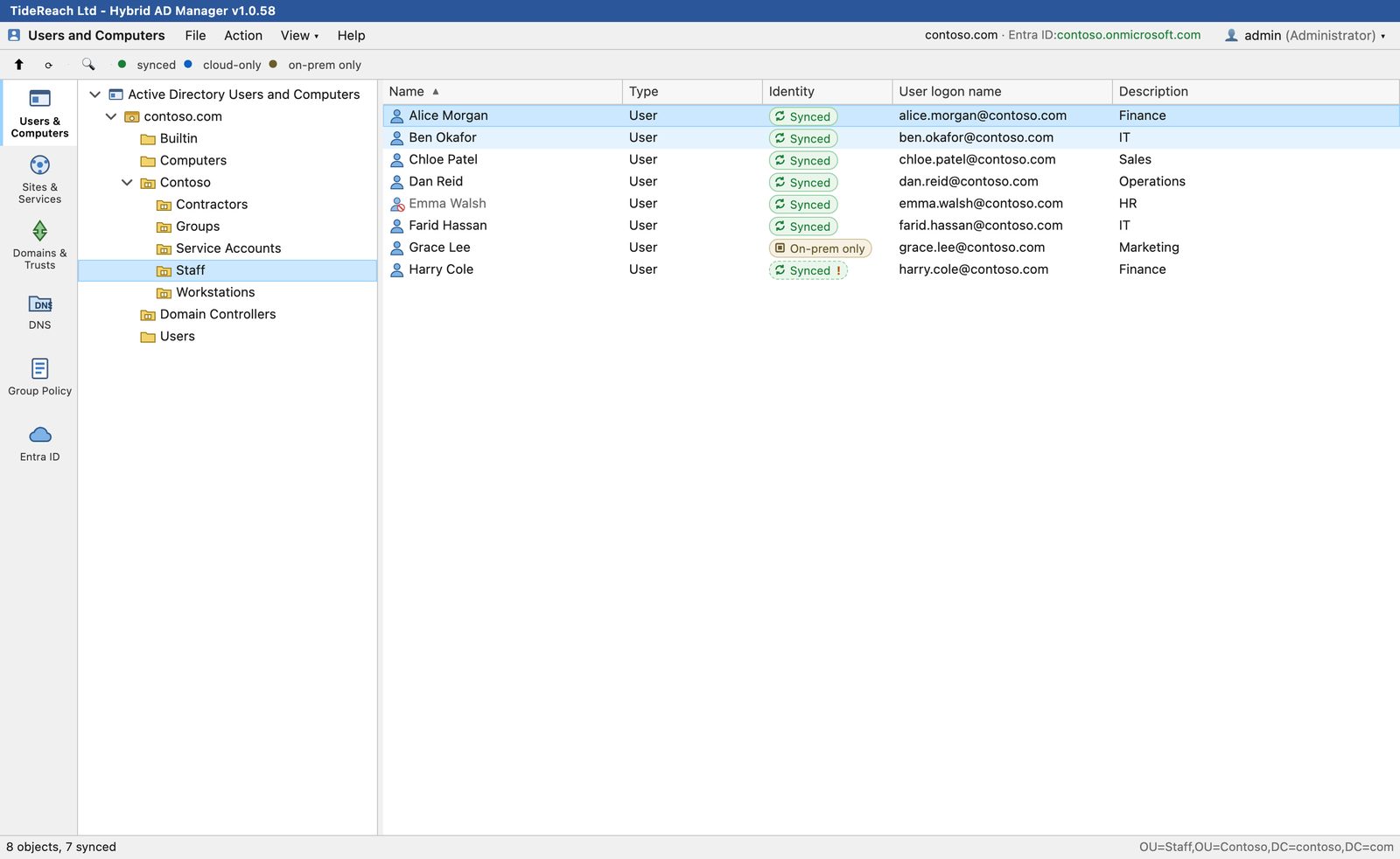
Users and Computers in Hybrid AD Manager: the Staff OU of contoso.com with each user marked synced or on-premises only
6 admin toolsthe five Active Directory consoles and Entra ID
13 property tabsincluding Security, Dial-in and Certificates
Any domain, any browserruns on a DC or a member server
Free editionevery tool, read-only lists up to 15 items
The tools

Everything you open the Active Directory consoles for, without a jump box.

Each tool has its own tab down the left, laid out the way the Microsoft MMC console lays it out, so nobody needs retraining. If you have the Remote Server Administration Tools (RSAT) installed today, this replaces them. Right-click menus, property sheets and the Attribute Editor are all where you expect them.

👤Users and Computers

Manage the directory and see the cloud state of every account.

  • Create, move, rename, enable, disable and delete users, groups, computers, OUs and contacts.
  • Reset passwords, unlock accounts and edit group membership.
  • An Identity column shows synced, cloud-only or on-premises-only for every object.
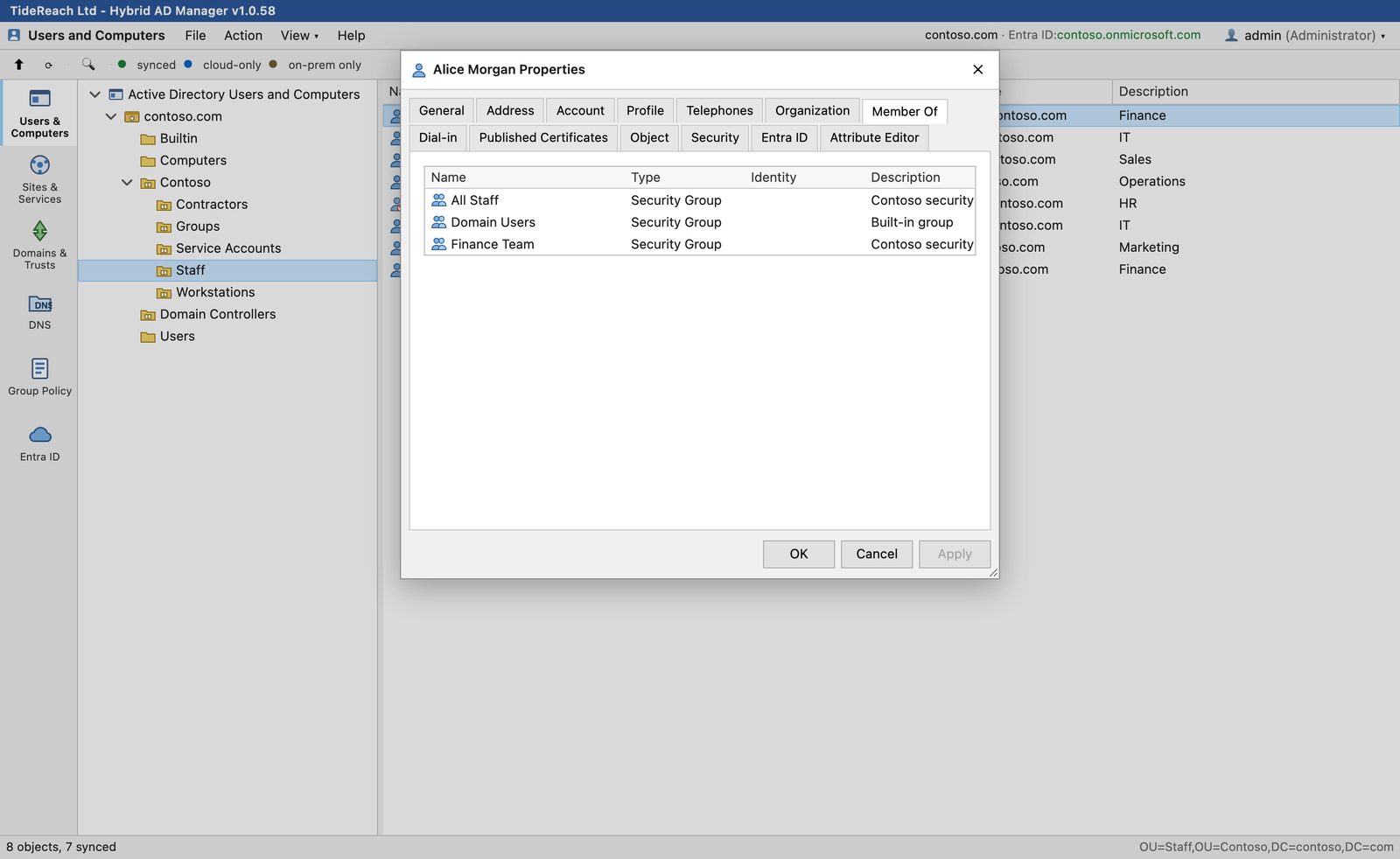
Member Of tab of a user's property sheet
Sites and Services

Sites, subnets, site links and server objects.

  • Create sites, subnets and site links, and move servers between sites.
  • Site links, site link bridges and NTDS settings sit in the tree where the Microsoft console puts them.
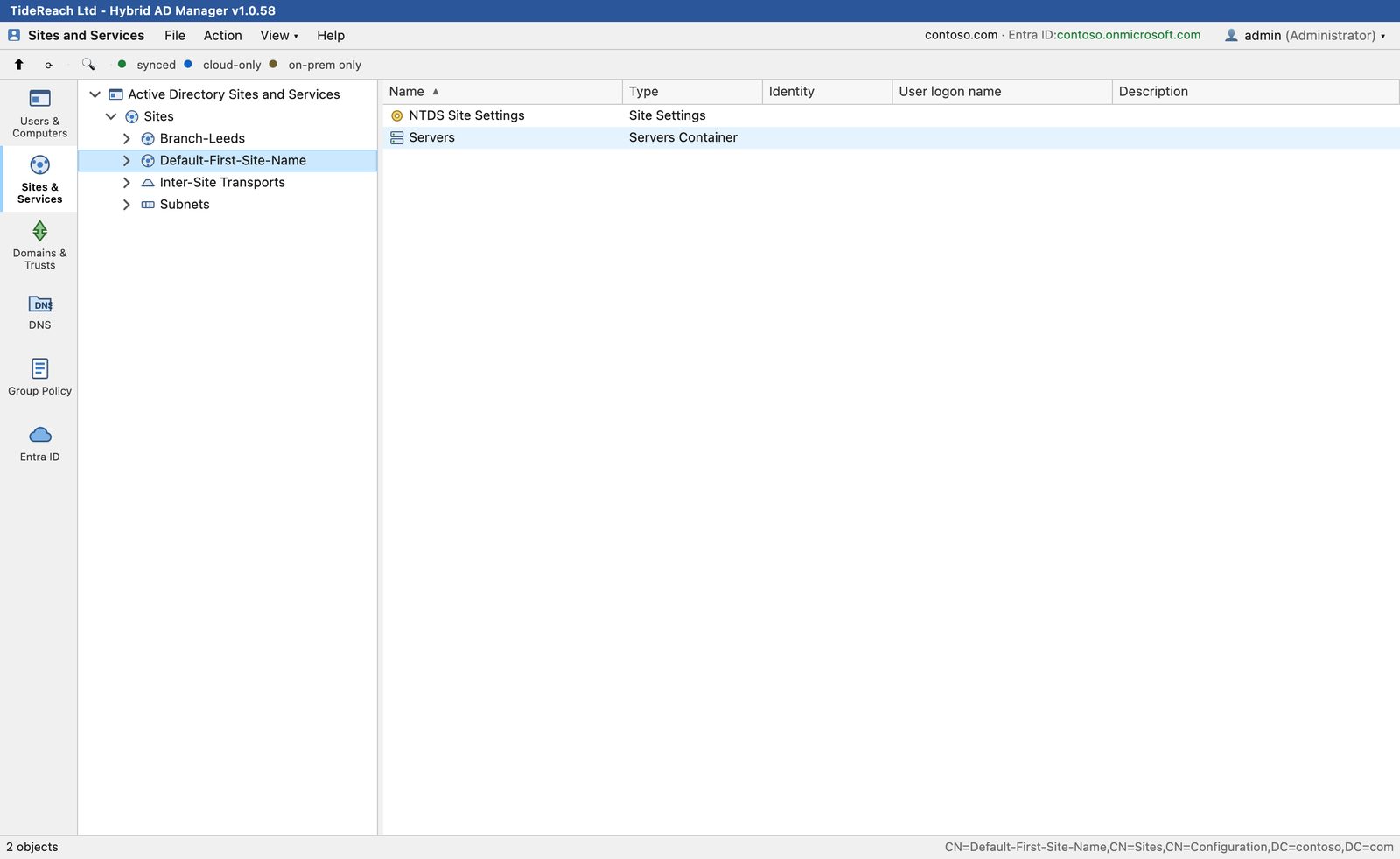
Sites and Services showing Default-First-Site-Name
Domains and Trusts

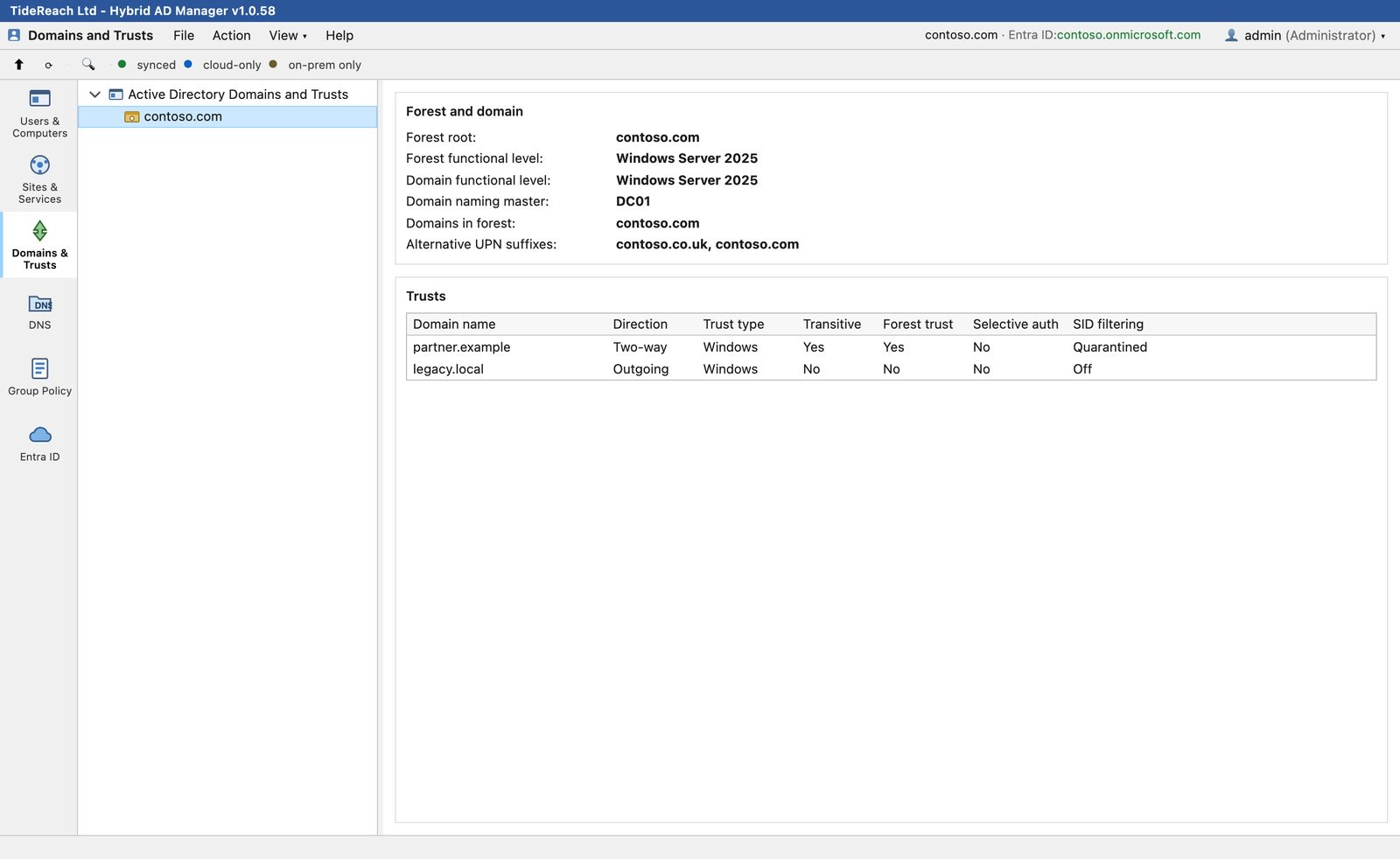
Forest and domain facts, trusts and UPN suffixes on one page.

  • Functional levels, FSMO role holders and the domains in the forest.
  • Every trust with direction, type, transitivity, selective authentication and SID filtering.
  • Switch between trusted domains from the menu bar with a licence that covers more than one.
Domains and Trusts page for contoso.com
DNSDNS

Forward and reverse zones, records and timestamps.

  • Browse AD-integrated zones and filter records as you type.
  • Add, edit and delete A, AAAA, CNAME, MX, PTR, SRV and TXT records.
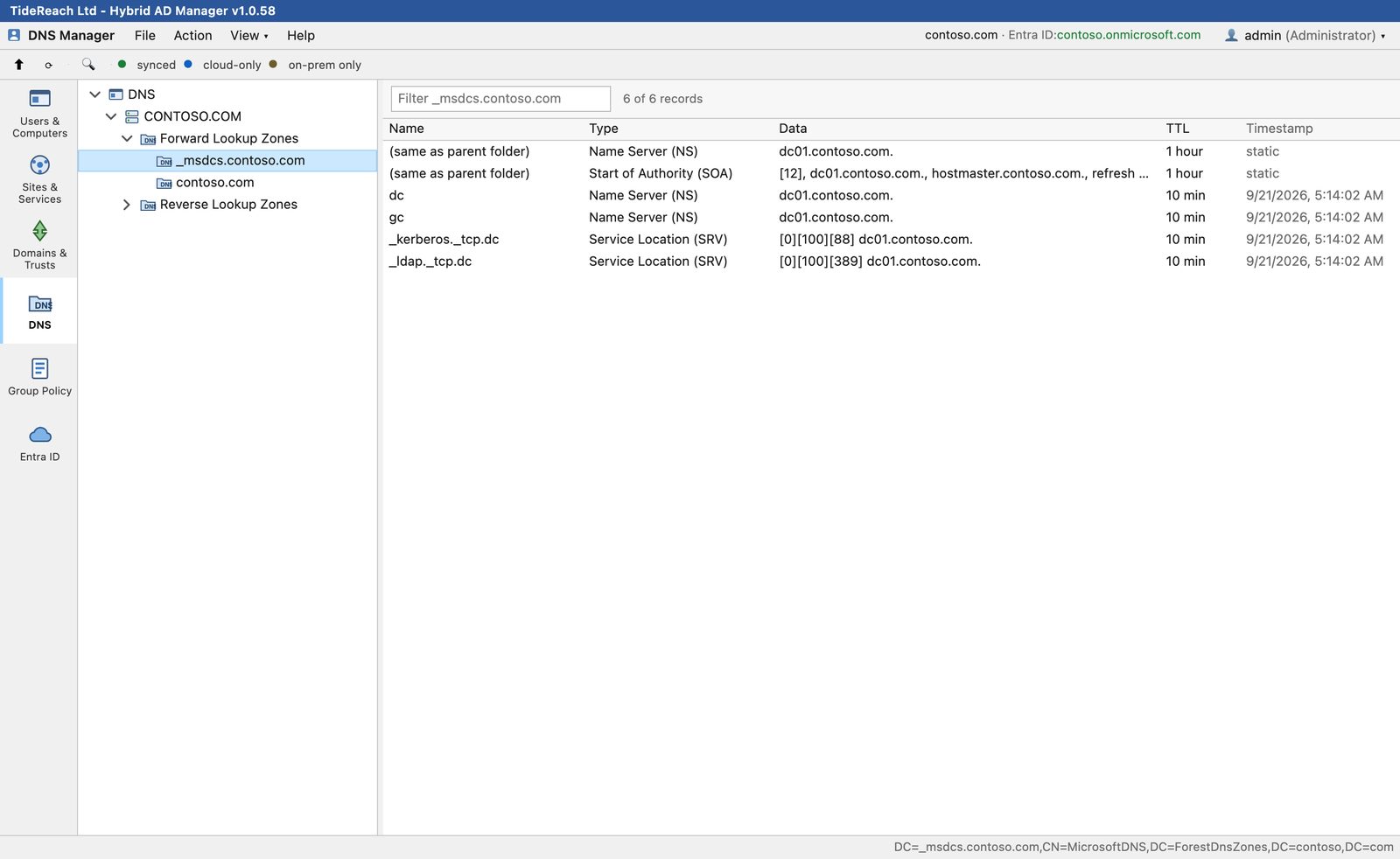
DNS Manager showing the _msdcs zone records
Group Policy Management

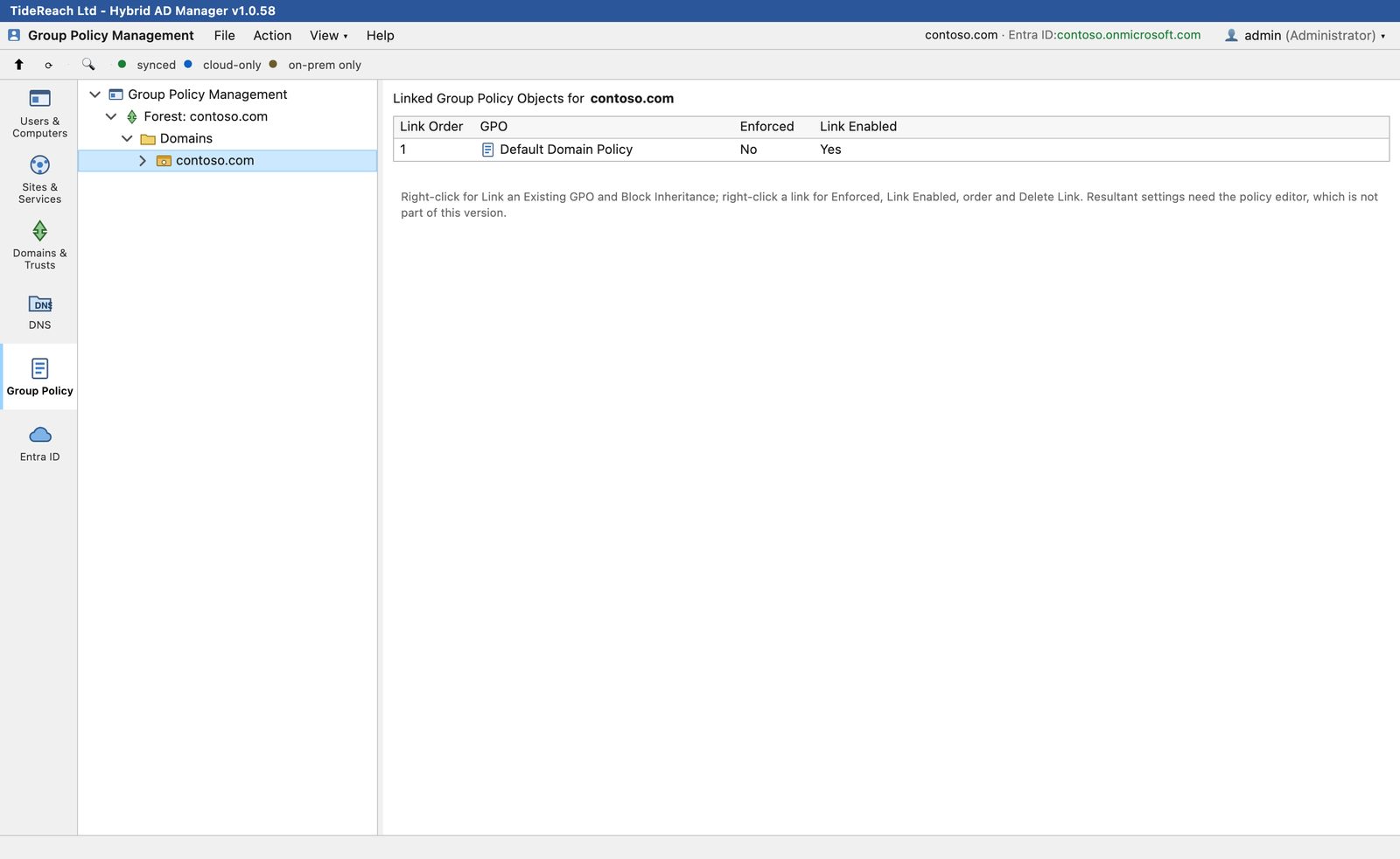
Links, order, enforcement and inheritance.

  • Link an existing GPO, reorder links, enforce, disable and block inheritance.
  • Create, rename and delete GPOs, including the SYSVOL folder.
  • The settings editor inside a GPO is on the roadmap; use GPMC for that today.
Group Policy Management showing linked GPOs for contoso.com
Entra ID

The tenant, merged with the domain.

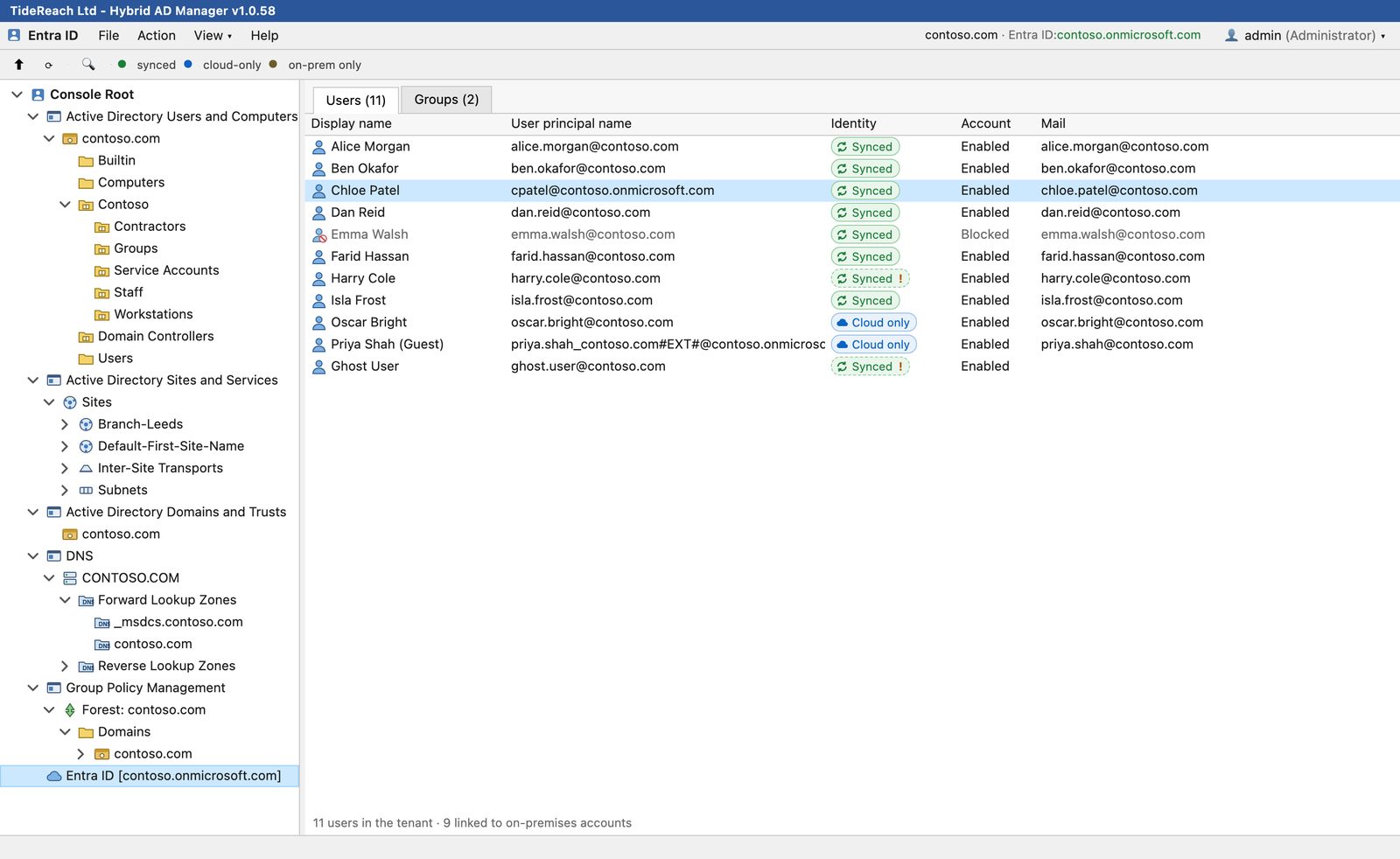
  • Users and groups from Microsoft Graph, matched to their on-premises accounts.
  • Create cloud users and groups, block sign-in, reset passwords and edit membership.
  • Warnings flag accounts that are linked but no longer sync-enabled, or exist on one side only.
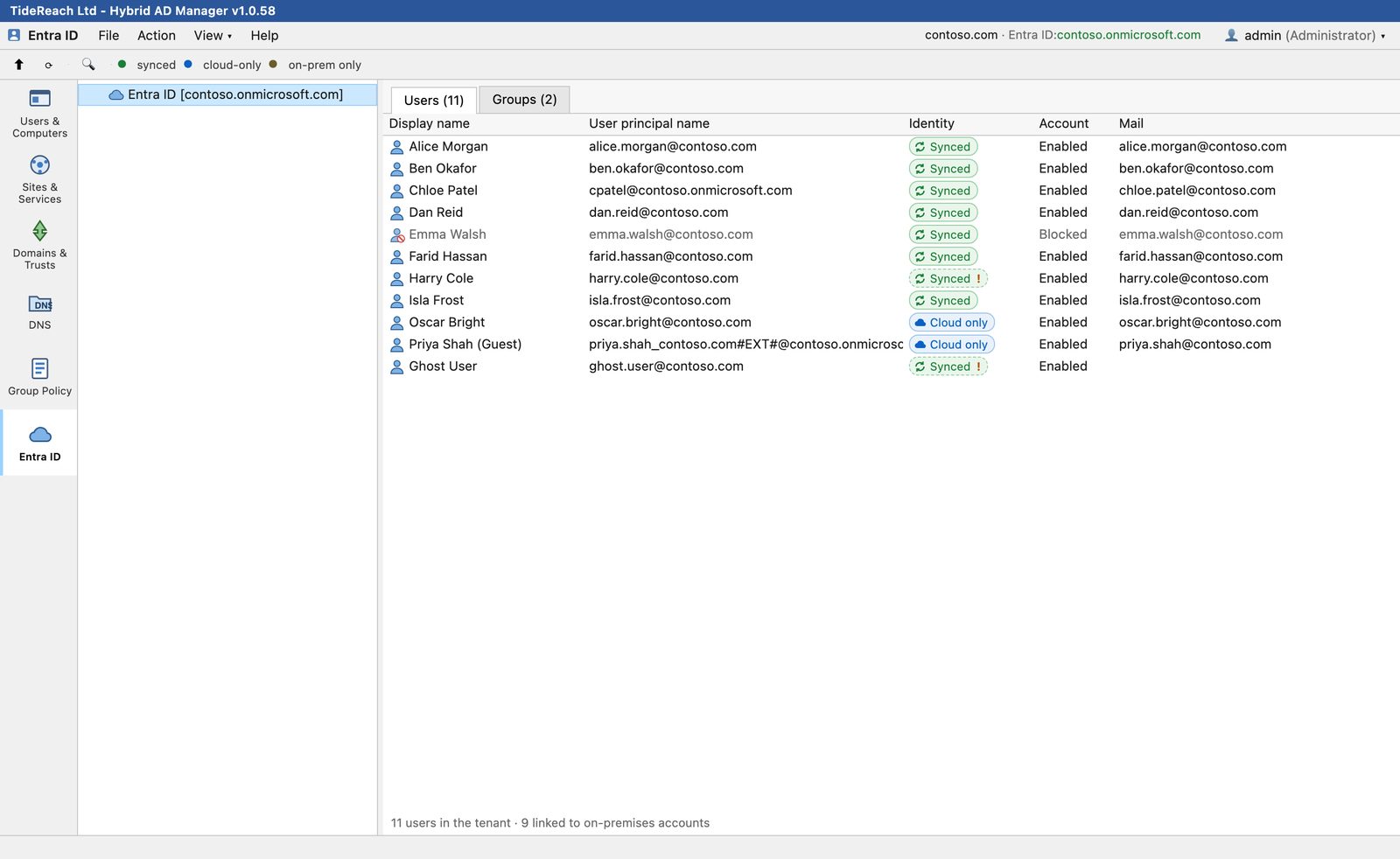
Entra ID users with synced and cloud-only markers
Property sheets

Thirteen tabs, the same thirteen Active Directory Users and Computers gives you today.

General, Address, Account, Profile, Telephones, Organization, Member Of, Dial-in, Published Certificates, Object, Security, Entra ID and Attribute Editor. The Security tab is a full ACL editor with an Advanced dialog for object and property-level entries.

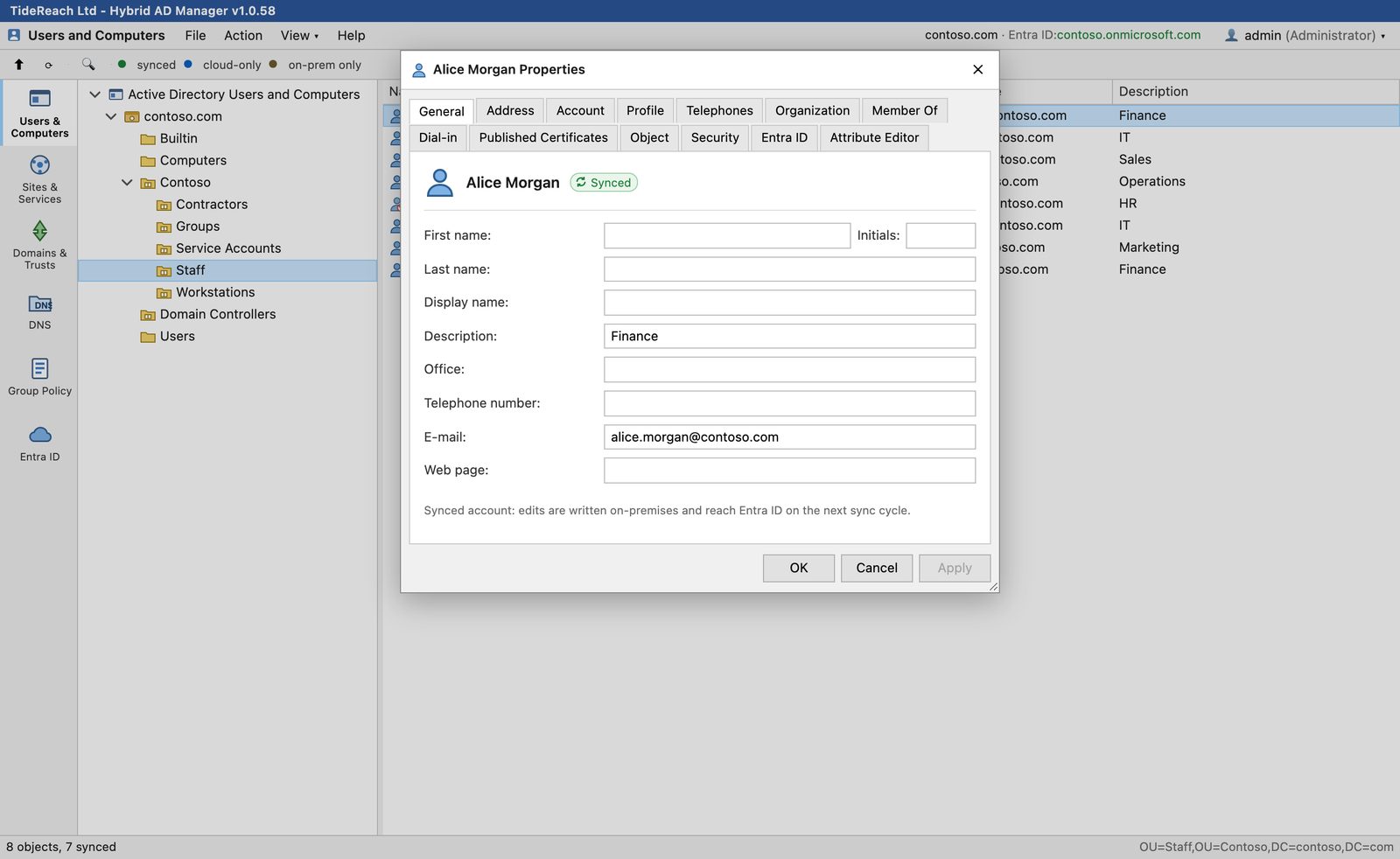
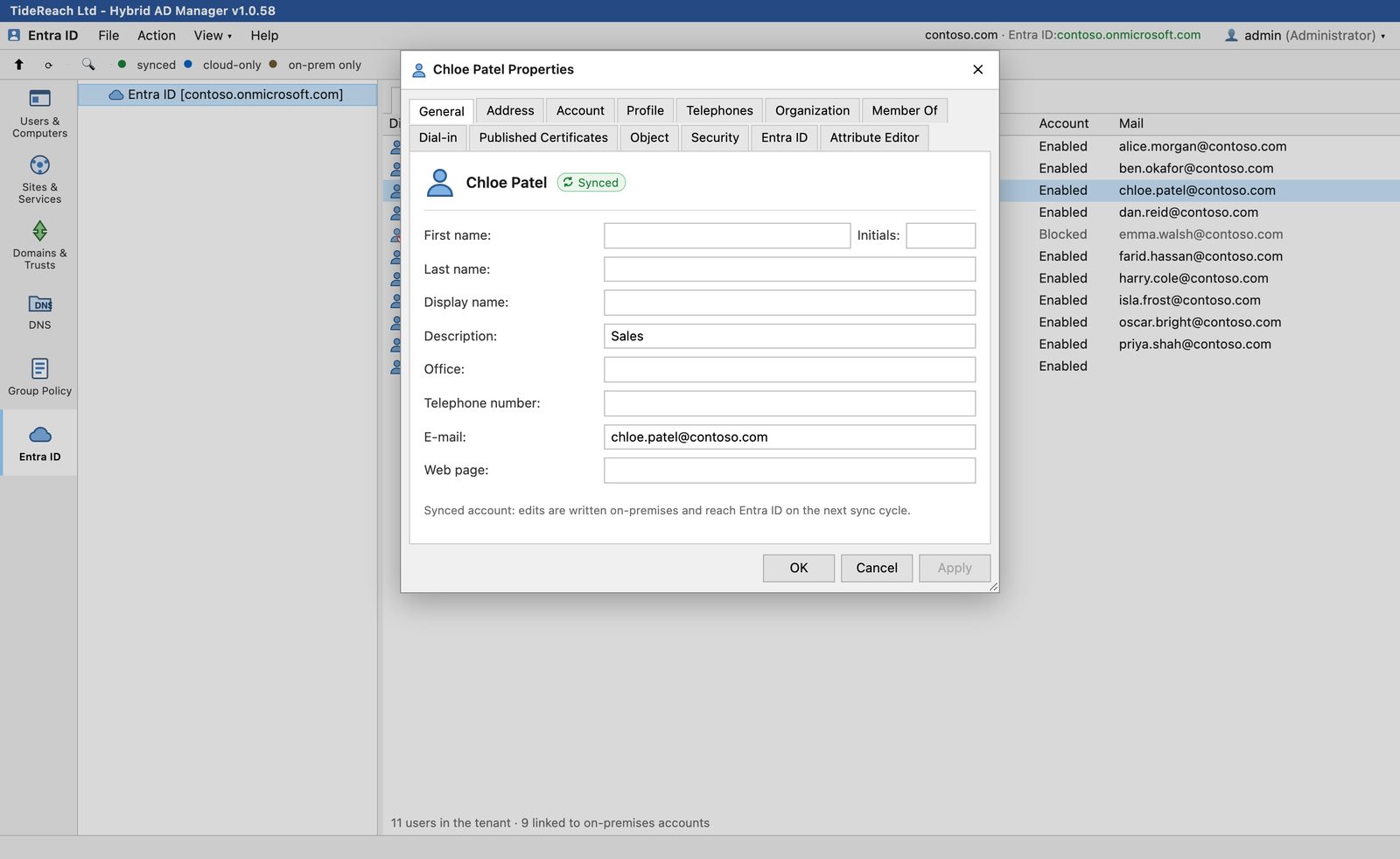
General tab of a user's property sheet
General. Edits on a synced account are written on-premises and reach Entra ID on the next sync cycle. The sheet says so.
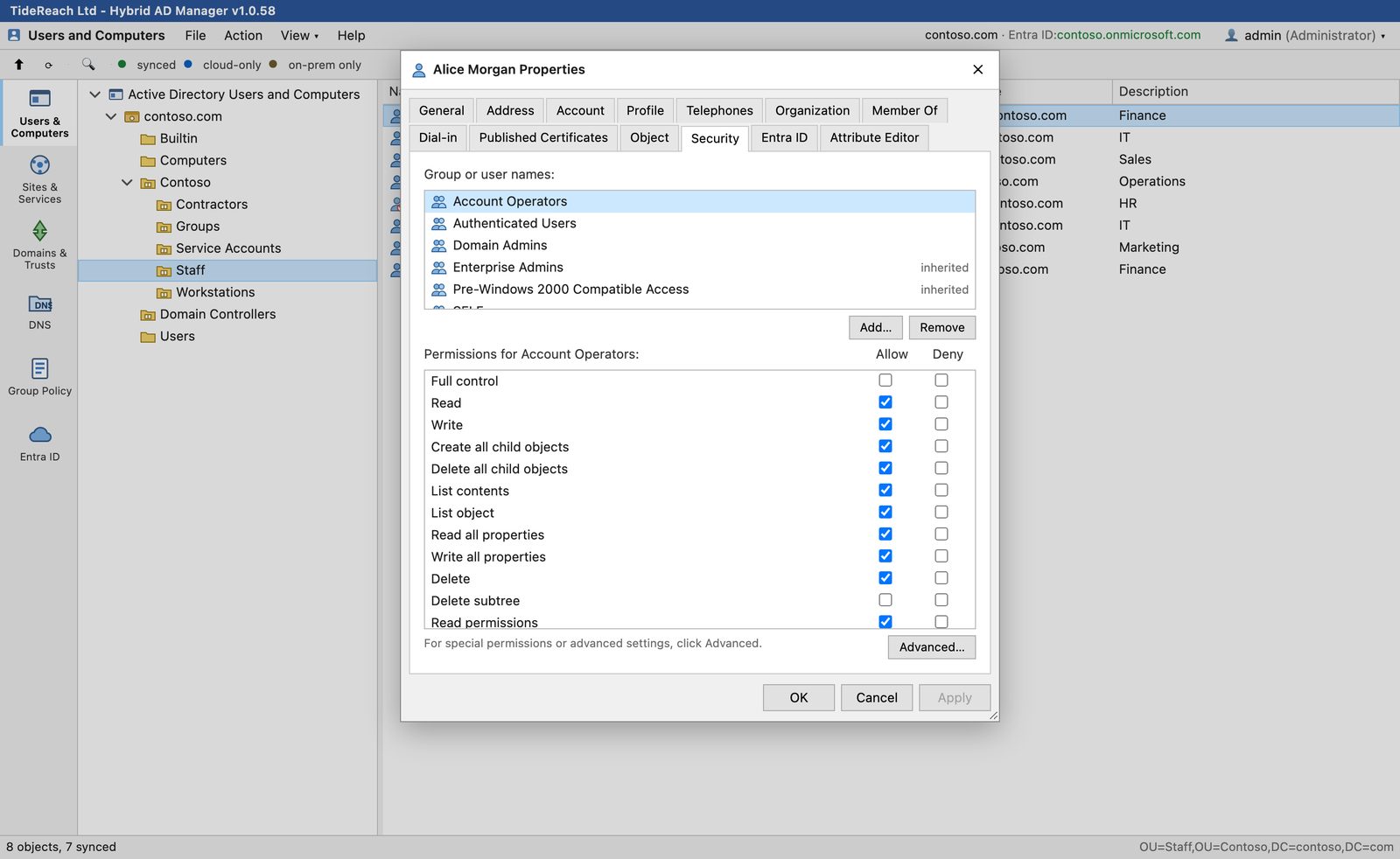
Security tab with the permission list for Account Operators
Security. Allow and Deny per trustee, inherited entries marked, and Advanced for the 80-plus extended rights and property sets.
Entra ID tab for a synced user
From either side. Open a synced user from the Entra ID tab and you get the same full sheet, because it is the same person.
The console

Built for the way admins actually work.

Tab View or Combined View

One tool at a time down the left rail, or every console in a single tree like a saved MMC. Pick per browser from the View menu.

Combined View with all consoles in one tree

Sessions and seats

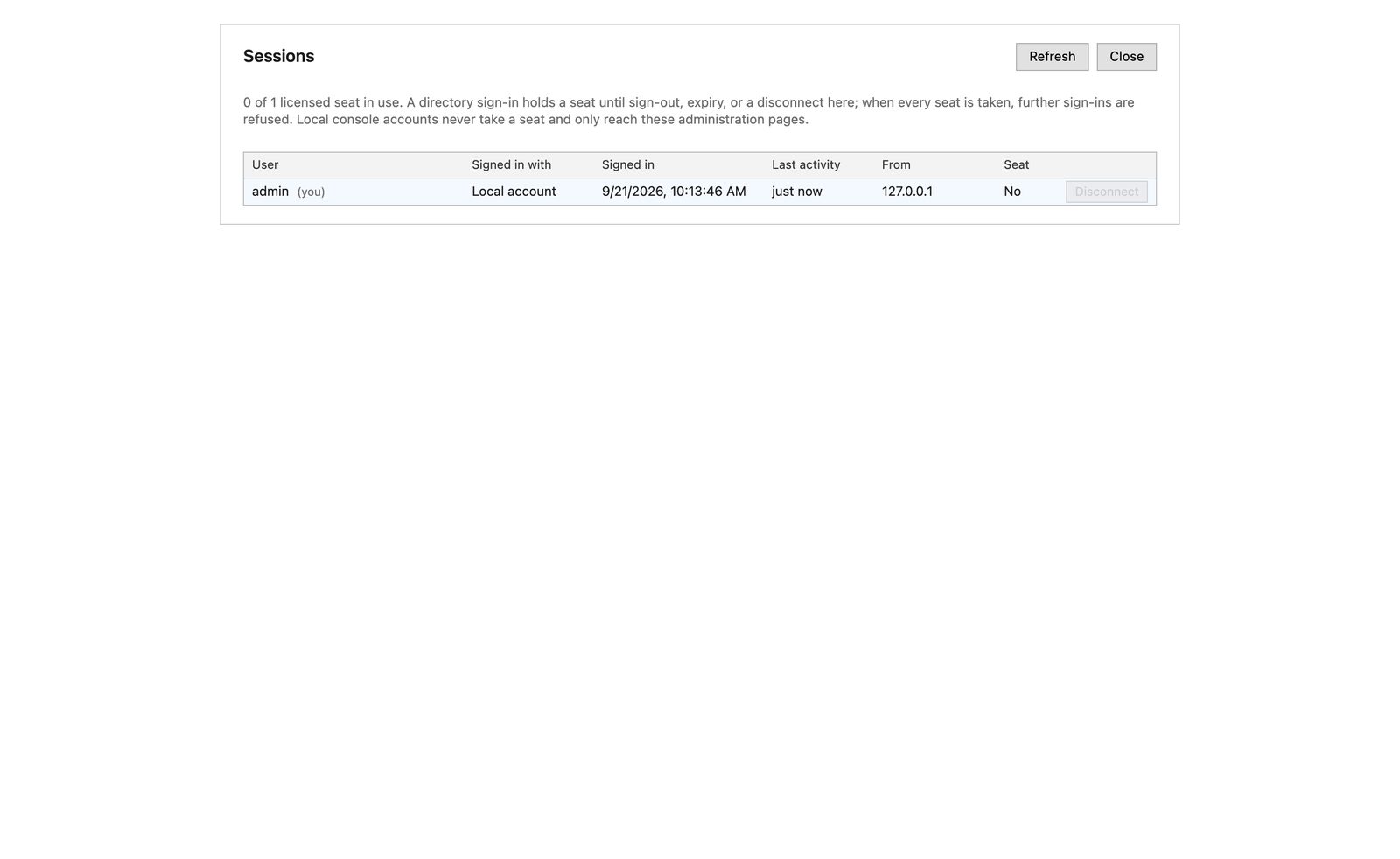
See who is signed in, from where, and disconnect a session. Seats are concurrent sign-ins; when they are all taken the next sign-in is refused rather than kicking someone off.

Sessions page listing signed-in users

Audit log

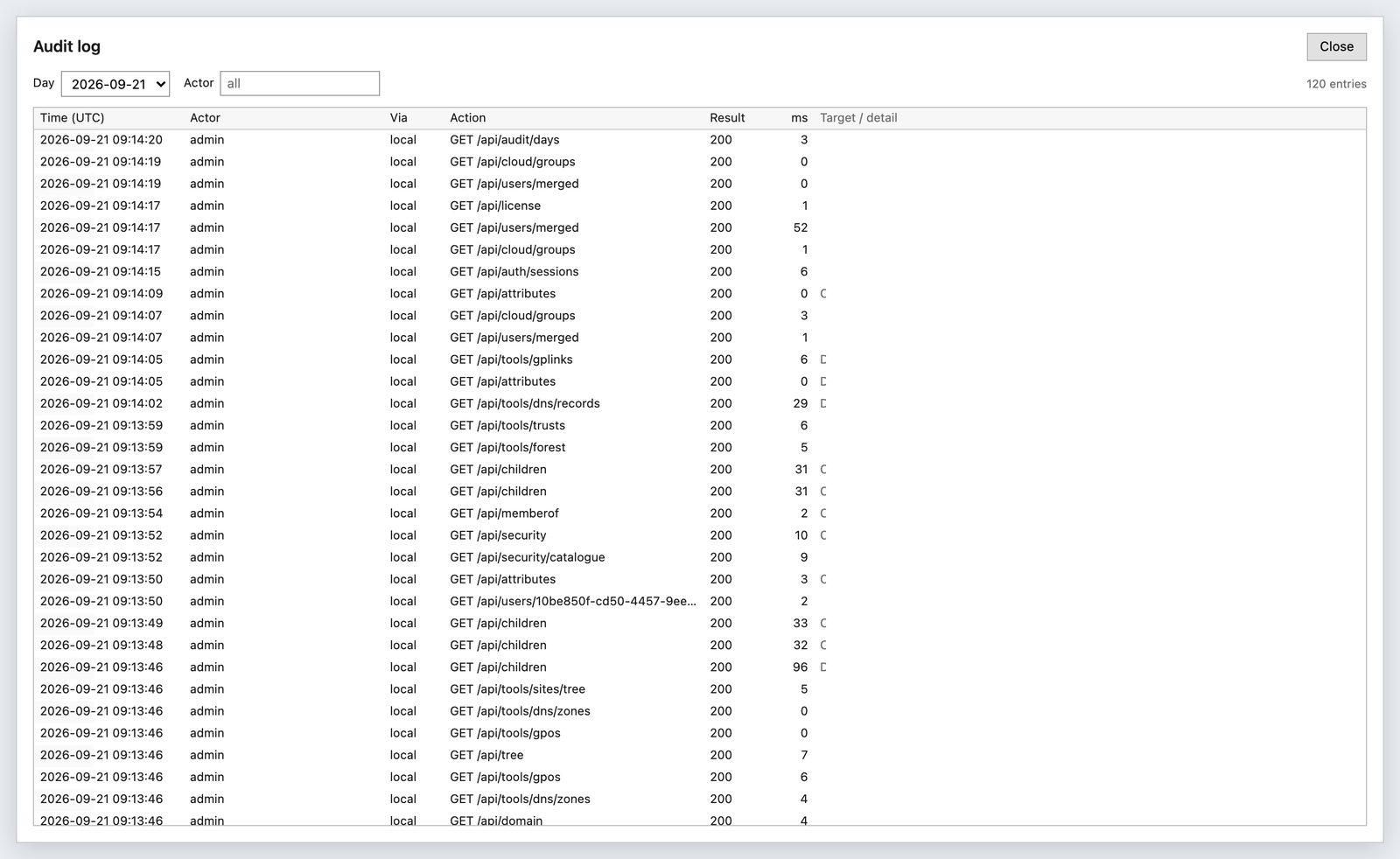
Every write records who, what, when and from where. Passwords never appear in it.

Audit log page

Sign in as yourself

Directory sign-in uses your own AD account over TLS, so every change is made as you and permissions are exactly what AD already gives you. Entra sign-in and local console accounts are also available.

Several domains

Add trusted domains and switch between them from the menu bar. Cross-domain credentials are handled for you, including external trusts.

Nothing leaves your network

The service talks LDAPS to your domain controllers and, if you connect a tenant, HTTPS to Microsoft Graph. Licence keys verify offline. There is no telemetry.

Installation

One MSI, ten minutes.

Install on a domain controller or any Windows Server 2019 or later member server, including Server Core. Admins then use it from any browser on any device. Upgrades are the newer MSI run over the old one; settings, keys and audit logs are kept.

Install the MSI

Double-click it, or from an elevated prompt:

msiexec /i HybridAdManager.msi /qn /norestart

Open the wizard

Browse to port 5080 on the server and paste the setup token from the installer. Create the first console admin.

Sign in with your AD account

The wizard finds your domain controller. Optionally connect an Entra ID tenant with an app registration. Done.

Full details are in the Installation Guide. Day-to-day use is covered in the User Guide.

Pricing

Simple, per domain, for 12 months.

Start with the free edition, which includes every tool. A licence key removes the list caps and enables writes. Prices are fixed in US dollars and in pounds sterling; pay in either currency at the price shown.

Free

$0(£0) forever
  • All six tools, read-only
  • Lists show the first 15 items per container
  • Every property sheet and tab
  • Use it to evaluate, or to give the help desk a read-only view
Download

Standard

$365(£275) per year
  • One domain, one Entra ID tenant
  • Two concurrent admin seats
  • All six tools with writes, audit log, ACL editor
  • Updates for the licence term
  • Add domains and seats as you grow
Price and order

Pro

from $995(from £745) per year
  • Everything in Standard
  • Multiple forests and tenants for MSPs and larger estates
  • Priority support and early access to the GPO settings editor
  • Available on request while the edition is finalised
Request a quote
Add-onPer yearNotes
Each additional domain$180 (£135)Trusted or separate forest, managed from the same console
Each additional seat$75 (£55)A seat is one signed-in directory user at a time

Every licence runs for 12 months from the date it is issued and does not renew automatically; the console warns in its title bar for the last 30 days. A licence key is issued for one installation in one domain: the Licence page in the console shows an Installation ID and the Domain SID, you send them with your order, and the key only works on that server in that domain. Keys are installed on the Licence page and verified offline. Local console accounts used to administer the service itself never take a seat. Prices exclude VAT and sales tax.

Against the built-in consoles

Free, but Windows-only, one console per window, and blind to Entra ID.

Against the AD suites

Comparable products start at several hundred pounds a year and price per help-desk technician. A customer with three domains and four seats pays $875 (£655) a year here.

Against the Entra admin centre

The portal knows nothing about the on-premises account behind a synced user. This console shows both sides together.

Questions

The things people ask first.

Does it need agents, a database or an internet connection?

No agents, no database and no internet. The service keeps settings, keys and the audit log in a folder under ProgramData. Microsoft Graph is contacted only if you connect an Entra ID tenant, and licence keys verify offline against the vendor's public key.

Where does it run?

On Windows Server 2019 or later, as a Windows service installed by the MSI. A domain controller or a member server both work, including Server Core. Two cores and 2 GB of RAM are plenty.

Whose permissions apply when I make a change?

Yours. Sign in with your Active Directory account and every write is made with that account's rights, so delegation you already have in AD carries straight over. A service account can be configured for hosts that need one.

What happens when all seats are in use?

The next directory sign-in is refused with a message to contact TideReach Ltd for more seats. Nobody is signed out to make room. An administrator can disconnect a session from the Sessions page.

How do upgrades work?

Run the newer MSI over the existing installation. Settings, encryption keys, licence, audit logs and sessions are kept. The version is shown in the title bar and under Help, About.

How do I buy, and can I move the licence to another server?

Open the Licence page in the console and copy the Installation ID and Domain SID. Send them with the edition, number of domains and number of seats you want, and you receive a key that works on that installation only. If you rebuild or replace the server, send the new Installation ID and a replacement key is issued for the remainder of the term.

Can I edit the settings inside a GPO?

Not yet. Linking, ordering, enforcing, inheritance and creating or deleting GPOs are all there. The policy settings editor is the next major feature and Pro customers get early access.